remote-terminal: run shell commands from the Claude app
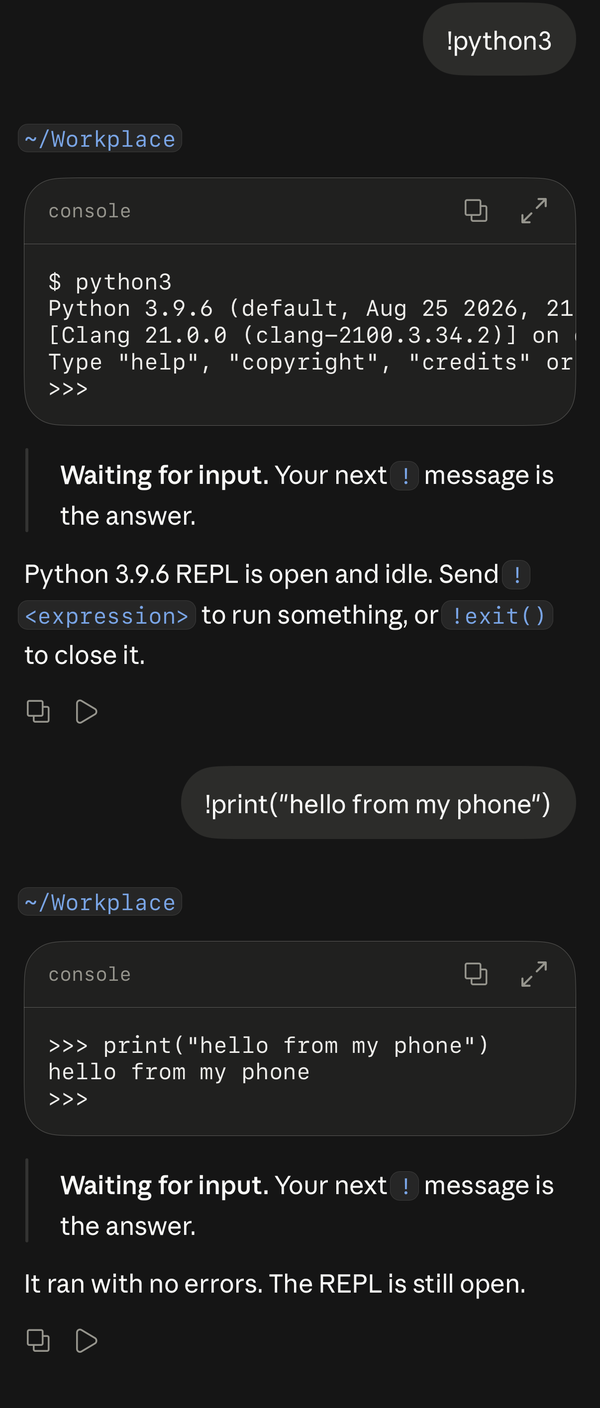
Run shell commands on your computer from the Claude app during a Remote Control session. Start a message with ! and the plugin types it into a persistent shell. The output arrives when the command finishes or stops for input. Claude then replies to it, as with ! in a terminal session.
Use it for git status, a test run or a failed deploy. When a script asks Continue? [y/N] or sudo asks for a password, answer with another ! message.
✨ Features
Section titled “✨ Features”- 🐚 A real, persistent shell per chat:
cd, variables and running programs carry over between messages. - ⚡ Output when the command ends, with the exit code and run time, posted by the plugin. Claude replies after it.
- 🛑 Control keys:
!^C,!^D,!^Z. - 👀 Watch along on your computer with
tmux -L remote-terminal attach. - 🐧🍎 macOS and Linux, including macOS with System Integrity Protection on.
⚖️ Compared with Claude Code’s own !
Section titled “⚖️ Compared with Claude Code’s own !”Claude Code’s ! |
remote-terminal | |
|---|---|---|
| Works from the Claude app | No | Yes |
| Answers prompts, passwords and REPLs | No | Yes |
| Tells you when a program waits for input | No | Yes |
| Claude replies to the output | Yes | Yes |
📦 Install
Section titled “📦 Install”/plugin marketplace add ethbak/claude-code-minis/plugin install remote-terminal@claude-code-minisOn the first !, Claude lists anything missing and offers to install it: tmux, bash or zsh, and the remote-terminal helper.
macOS
brew install tmuxsudo python3 ~/.claude/plugins/cache/claude-code-minis/remote-terminal/<version>/scripts/install_helper.pyThe helper runs as a LaunchDaemon. It needs the Xcode Command Line Tools (xcode-select --install) for /usr/bin/python3.
Linux
sudo apt install tmux # or: sudo dnf install tmux, sudo pacman -S tmuxsudo python3 ~/.claude/plugins/cache/claude-code-minis/remote-terminal/<version>/scripts/install_helper.pyThe helper runs as a systemd service.
A small root service, the remote-terminal helper, reports when a program waits for terminal input. Claude gives you the exact installer path. The helper copies itself to /usr/local/libexec/remote-terminal-helper/. After a plugin update, Claude tells you if the installed helper is older than the plugin’s copy.
Without the helper, ! still works. The reply then waits until the screen has been still for 3 seconds.
🚀 Usage
Section titled “🚀 Usage”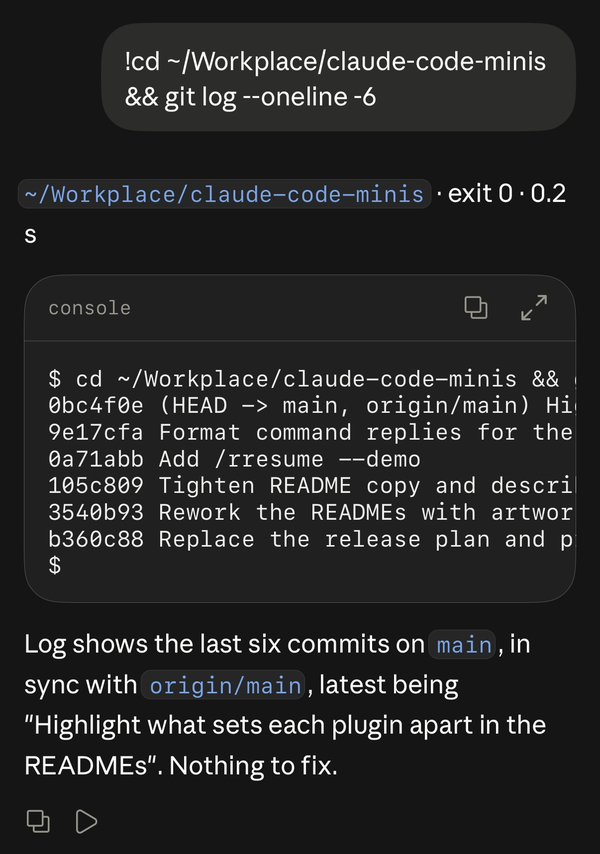
!git status!cd ~/project && npm test!sudo apt upgrade!my-password!^C!| You type | What happens |
|---|---|
!<text> or /!<text> |
Types <text> and Enter into this chat’s shell |
! or /! |
Shows output that arrived since the last reply |
!^C, !^D, !^Z, !^[ |
Sends that control key |
Each reply shows the folder, exit code and run time, then the terminal output. When the command did not finish, a line under the output says why.
🔍 How it knows when to reply
Section titled “🔍 How it knows when to reply”| Status | When |
|---|---|
| ✅ Finished | The shell’s prompt hook ran. Everything the command printed is already on screen. |
| ⌨️ Waiting for input | The helper sees a program in the foreground job blocked reading the terminal (read on the terminal, or select, poll, epoll or kevent watching it), with nothing typed still queued. This is exact. |
| ❔ Can’t tell | macOS only: a program watches the terminal and a socket or pipe at once, like an interactive ssh session. Once the screen has been still for 3 seconds, the reply says so. |
| ⏳ Still running | After 270 seconds the reply shows what’s there so far. The program keeps running; send ! later to see more. |
The details, and why it takes a root helper: How remote-terminal knows a program is waiting for input.
Each chat gets its own shell window, started in the chat’s working directory. After that chat’s Claude Code session ends, the next ! from any chat closes the window. The shell skips your startup files, so a prompt theme cannot redraw earlier lines.
🔐 What it accesses
Section titled “🔐 What it accesses”- A shell on your computer: everything you send with
!runs there as you, in a private tmux server. - Your Claude Code login, the one Claude Code itself uses, to post each command’s output into your chat through the claude.ai API at
api.anthropic.com. - The optional root helper answers over a local Unix socket only. It reads which system call your terminal’s programs are blocked in, and makes no network connections.
It sends nothing anywhere else.
🔒 Security
Section titled “🔒 Security”The helper answers only about terminals you own and processes running as you. It reports whether a program waits for input, never what you type.
🩺 Troubleshooting
Section titled “🩺 Troubleshooting”My ! message went to Claude as text
Two causes:
- The chat started before you installed the plugin. Running sessions keep the hooks they started with. Open a new chat.
- You sent it while Claude was replying. Claude Code adds such messages to the running turn without running plugin hooks. Wait for the reply to finish, then send it again.
The reply says the helper is missing or out of date
Run the installer command from the reply (it needs sudo). It replaces any older copy.
macOS: "kernel tracing is in use"
Instruments, fs_usage or ktrace holds the kernel trace, and macOS allows one tracer at a time. Close it and send ! again.
⚠️ Limitations
Section titled “⚠️ Limitations”- Commands sent while Claude is replying reach Claude as text (see Troubleshooting).
- On macOS, a program that watches the terminal and a socket at once, like an interactive
sshsession, gets “can’t tell”. - A reply waits at most 270 seconds. The program keeps running, and
!shows what it printed since.
🗑️ Uninstall
Section titled “🗑️ Uninstall”Remove the helper first, while the plugin’s files are still there:
sudo python3 ~/.claude/plugins/cache/claude-code-minis/remote-terminal/<version>/scripts/install_helper.py --uninstalltmux -L remote-terminal kill-server/plugin uninstall remote-terminal@claude-code-minisCan I run terminal commands from the Claude iPhone or Android app?
Yes, in a Remote Control session with this plugin installed: start the message with !.
How do I answer a password prompt or a y/n question?
Send the answer as the next message, for example !y. The previous reply said Waiting for input, so you know the program is waiting.
Why does Claude Code's ! bash mode not work in Remote Control?
Bash mode is part of the terminal interface. In Remote Control, your message goes to Claude as text, and this plugin catches the ! first.
Does it work on Linux?
Yes, on Linux and macOS.