mode-picker: change permission mode in Claude Code Remote Control
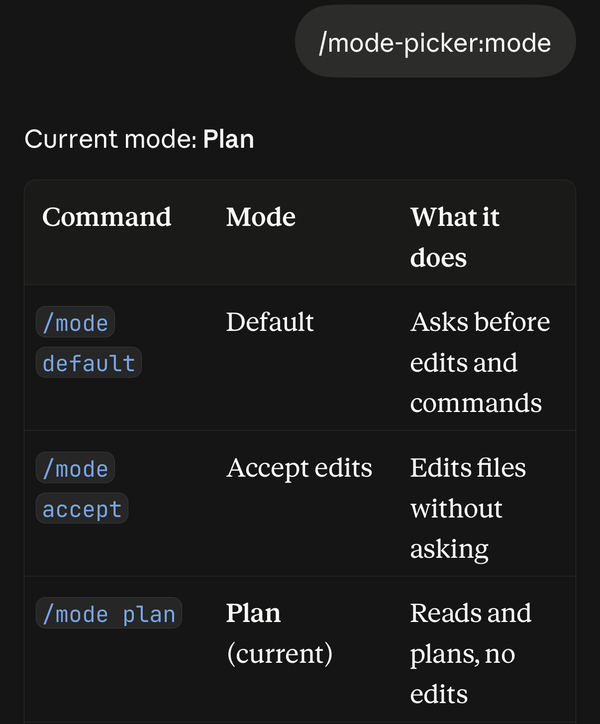
/mode switches a Remote Control session to any of Claude Code’s six permission modes from the Claude app. For Remote Control, the app’s mode menu offers at most Manual, Accept edits and Plan, and never Auto or Bypass permissions.
When a long task from your phone stops at every step to ask permission, send /mode bypass or /mode auto.
✨ Features
Section titled “✨ Features”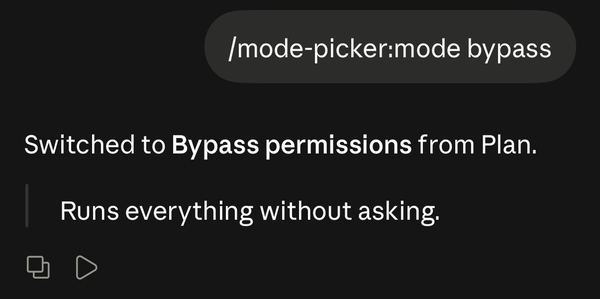
- 🎚️ All six permission modes, including Auto and Bypass permissions.
- ✅ Confirmed switches: the reply says “Switched” only after the session confirms the change, and says why if it refuses.
- 🔄 Stays in sync with claude.ai and the app, because it sends the same request the app’s mode menu does.
⚖️ Compared with the app’s mode menu
Section titled “⚖️ Compared with the app’s mode menu”| Mode | App menu | /mode |
|---|---|---|
| Default (Manual) | Yes | Yes |
| Accept edits | Yes | Yes |
| Plan | Yes | Yes |
| Auto | No | Yes |
| Don’t ask | No | Yes |
| Bypass permissions | No | Yes |
📦 Install
Section titled “📦 Install”/plugin marketplace add ethbak/claude-code-minis/plugin install mode-picker@claude-code-minis🚀 Usage
Section titled “🚀 Usage”| You type | Mode | What it means |
|---|---|---|
/mode default |
default | Ask before edits and commands |
/mode accept |
acceptEdits | Edit files without asking |
/mode plan |
plan | Read and plan, no edits |
/mode auto |
auto | A classifier reviews actions instead of you |
/mode dontask |
dontAsk | Deny anything not pre-approved |
/mode bypass |
bypassPermissions | Run everything without asking |
/mode |
Show the current mode and this list |
🔐 What it accesses
Section titled “🔐 What it accesses”- Your Claude Code login, the one Claude Code itself uses, to call the claude.ai API at
api.anthropic.com. It sends your session the permission-mode change, reads the session’s reply, and posts its own reply into the chat.
It sends nothing anywhere else.
🩺 Troubleshooting
Section titled “🩺 Troubleshooting”"Mode not changed"
The session refused the switch. Its reason is in the reply, most often a policy that disables that mode.
"Not confirmed"
The plugin sent the switch, but the session gave no answer within 15 seconds, usually because the connection dropped. Check the mode shown in the app, and send /mode again if it did not change.
My /mode went to Claude as text
- The chat started before you installed the plugin. Open a new chat.
- You sent it while Claude was replying. Wait for the reply to finish, then send it again.
🗑️ Uninstall
Section titled “🗑️ Uninstall”/plugin uninstall mode-picker@claude-code-minisHow do I turn on plan mode from the Claude app?
Type /mode plan in the Remote Control chat.
How do I enable bypass permissions in Remote Control?
Type /mode bypass. If bypass mode is disabled for your account or organization, the reply says so.
Does it work in a terminal session?
In a terminal, use Shift+Tab or --permission-mode; /mode tells you so.