remote-resume: resume Claude Code sessions from the Claude app
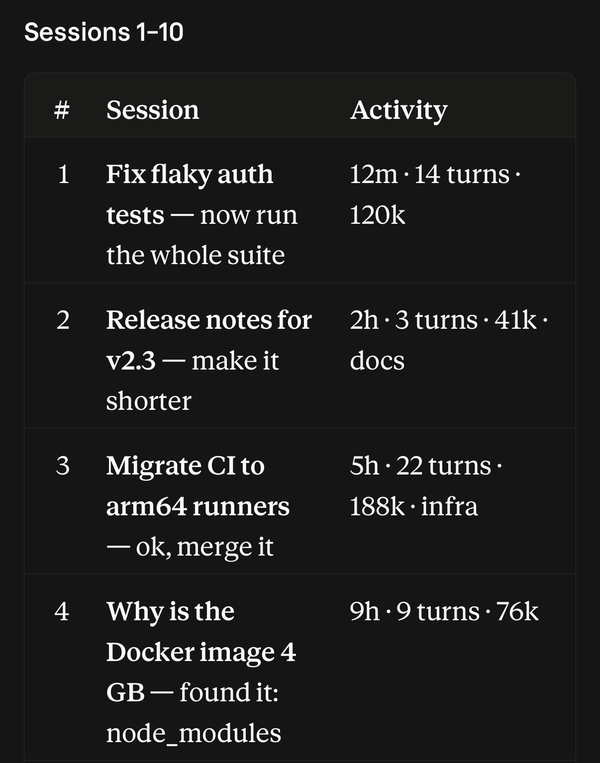
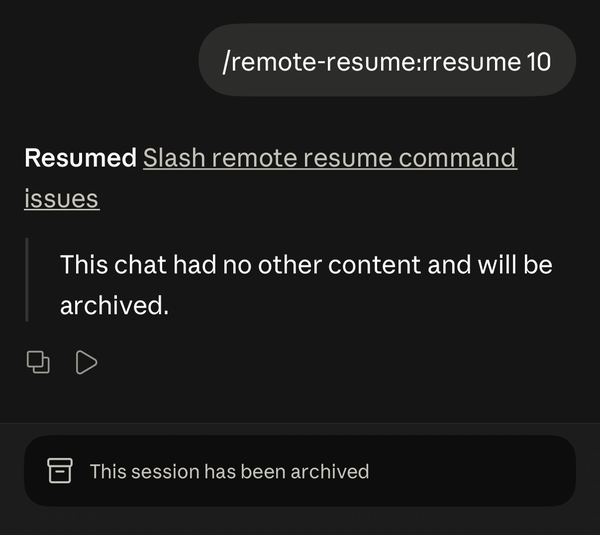
/rresume lists, searches and resumes your Claude Code sessions from the Claude app. It works in Remote Control sessions, where the built-in /resume does not. Archived chats come back under their own id. Sessions you started in a terminal move into Remote Control with their full history.
The app has no /resume and does not show terminal sessions. /rresume lists all of them, and /rresume 3 resumes the third.
✨ Features
Section titled “✨ Features”- 📋 Lists your sessions, newest first, with title, last prompt, age, turns and context size.
- 🔎 Searches titles and every prompt you typed.
- ♻️ Resumes a Remote Control chat under its own id, archived or not, the way
/resumewould. - 💻 Moves a terminal session into Remote Control with its full history, file checkpoints, model, effort, permission mode and working directory.
⚖️ Compared with /resume
Section titled “⚖️ Compared with /resume”/resume |
/rresume |
|
|---|---|---|
| Works from the Claude app | No | Yes |
| Moves a terminal session into the app | No | Yes |
| Archives the empty chat you ran it from | No | Yes |
📦 Install
Section titled “📦 Install”/plugin marketplace add ethbak/claude-code-minis/plugin install remote-resume@claude-code-minisResuming needs a running Remote Control server: claude remote-control in the project folder, or /remote-control in a session.
🚀 Usage
Section titled “🚀 Usage”| You type | What happens |
|---|---|
/rresume |
The 10 most recent sessions, numbered |
/rresume deploy |
The 10 most recent whose title or prompts mention “deploy” |
/rresume next / prev |
The next 10, or back; numbering continues |
/rresume 3 |
Resume number 3 from the last list this chat showed |
🔐 What it accesses
Section titled “🔐 What it accesses”- Your session files in
~/.claude/projects, read locally to build the list (titles and the prompts you typed). - Your Claude Code login, the one Claude Code itself uses, to call the claude.ai API at
api.anthropic.com. It lists your sessions and Remote Control environments, reads a session’s recent events, archives, unarchives and reconnects sessions, and posts its reply into the chat. Moving a terminal session in creates a new Remote Control session and uploads that session’s transcript to it. - A cache in the plugin’s data folder, so later lists only read what changed.
It sends nothing anywhere else.
⚙️ Options
Section titled “⚙️ Options”| Option | Default | What it does |
|---|---|---|
auto_archive |
on | After a resume, archives the chat you typed /rresume in when it holds only /rresume commands and at most one other message. Chats with real content stay as they are. Turn it off in /config or with claude plugin configure remote-resume. |
🔍 What resuming does
Section titled “🔍 What resuming does”- A Remote Control chat, archived or not, comes back under its own id, the way
/resumewould. The reply links to it. - A terminal session is moved into Remote Control as a new chat, with its history, file checkpoints, model, effort, permission mode and working directory. It drops out of the list until you use it in a terminal again.
🩺 Troubleshooting
Section titled “🩺 Troubleshooting”"No Remote Control service picked it up"
Nothing is running to resume the chat into. Start one in that project folder with claude remote-control, then send /rresume <n> again.
My /rresume went to Claude as text
- The chat started before you installed the plugin. Open a new chat.
- You sent it while Claude was replying. Wait for the reply to finish, then send it again.
The first list is slow
The first /rresume reads every session on your computer and can take several seconds. Later lists read only what changed.
🗑️ Uninstall
Section titled “🗑️ Uninstall”/plugin uninstall remote-resume@claude-code-minisWhy is /resume unavailable in Remote Control?
/resume is part of the terminal interface, and Remote Control sessions run without one. /rresume does the same job from the app.
Can I unarchive a Claude Code chat?
Yes: /rresume lists archived Remote Control chats too, and resuming one unarchives it.
Can I continue a terminal Claude Code session on my phone?
Yes. Close it in the terminal, then /rresume it from the app. It moves into Remote Control with its history and settings.